 Next Matter Pro Academy
Personal injury medical records practice
Request a client's medical records and itemized bills for a personal injury case, then follow up with the providers until they come in. Your trainer reviews your work and tells you what to improve.
What you do on the records desk
You work as a medical records specialist at a fictional personal injury firm. The desk is practice for Academy students preparing for remote records work at US personal injury law firms.
It opens in your browser and is laid out like a law firm computer. You send requests and follow up by phone and email until the records come in. Then you check them against the bills.
The people you call are simulated provider staff. A coach shows you each step on your first shift. After that you work on your own.
Requesting records and itemized bills
You request medical records and itemized bills from each provider who treated the client. An itemized bill lists each charge line by line. First you call the provider's office to confirm where requests go, since the fax number on file can be out of date.
The request letter and HIPAA authorization
Each request goes out with two documents. The HIPAA authorization is the form the client signs so providers may release records to the firm. The request letter says which records and bills the firm needs.
You fill in the letter from a Word template on your own computer and upload it to the desk.
Faxing a request
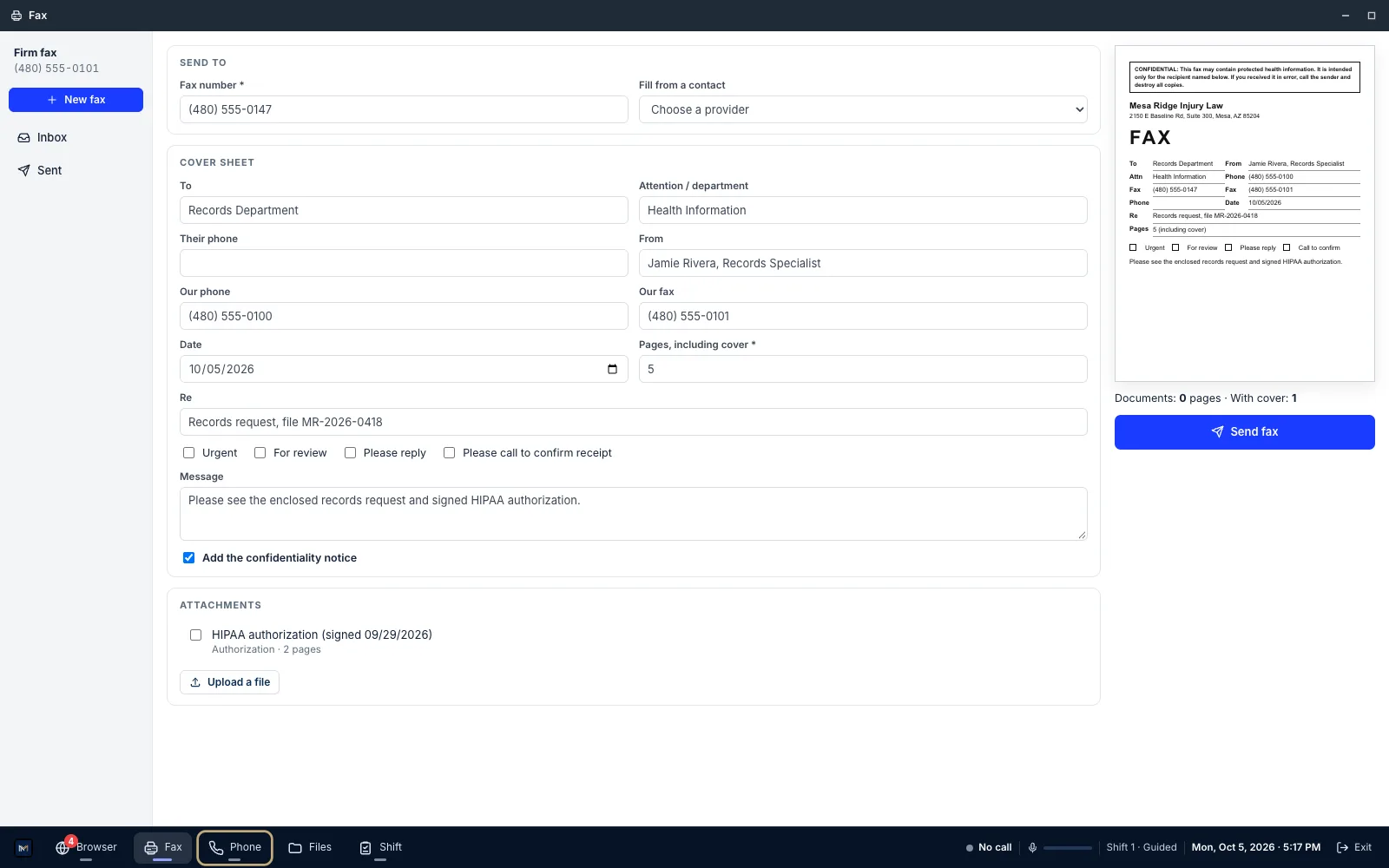
You fill in a fax cover sheet and attach the letter and the signed authorization. After you send it, you get a transmission report.
Requesting on records portals
Some facilities use a copy service, a company that handles their records requests. You send those requests on its records portal. The desk has practice copies of the Datavant, ChartSwap and MRO requester portals, made for training and not affiliated with or endorsed by those companies.
On a portal, you enter the patient and the dates of service, meaning the dates the client was treated. Then you attach the signed HIPAA authorization and the request letter.
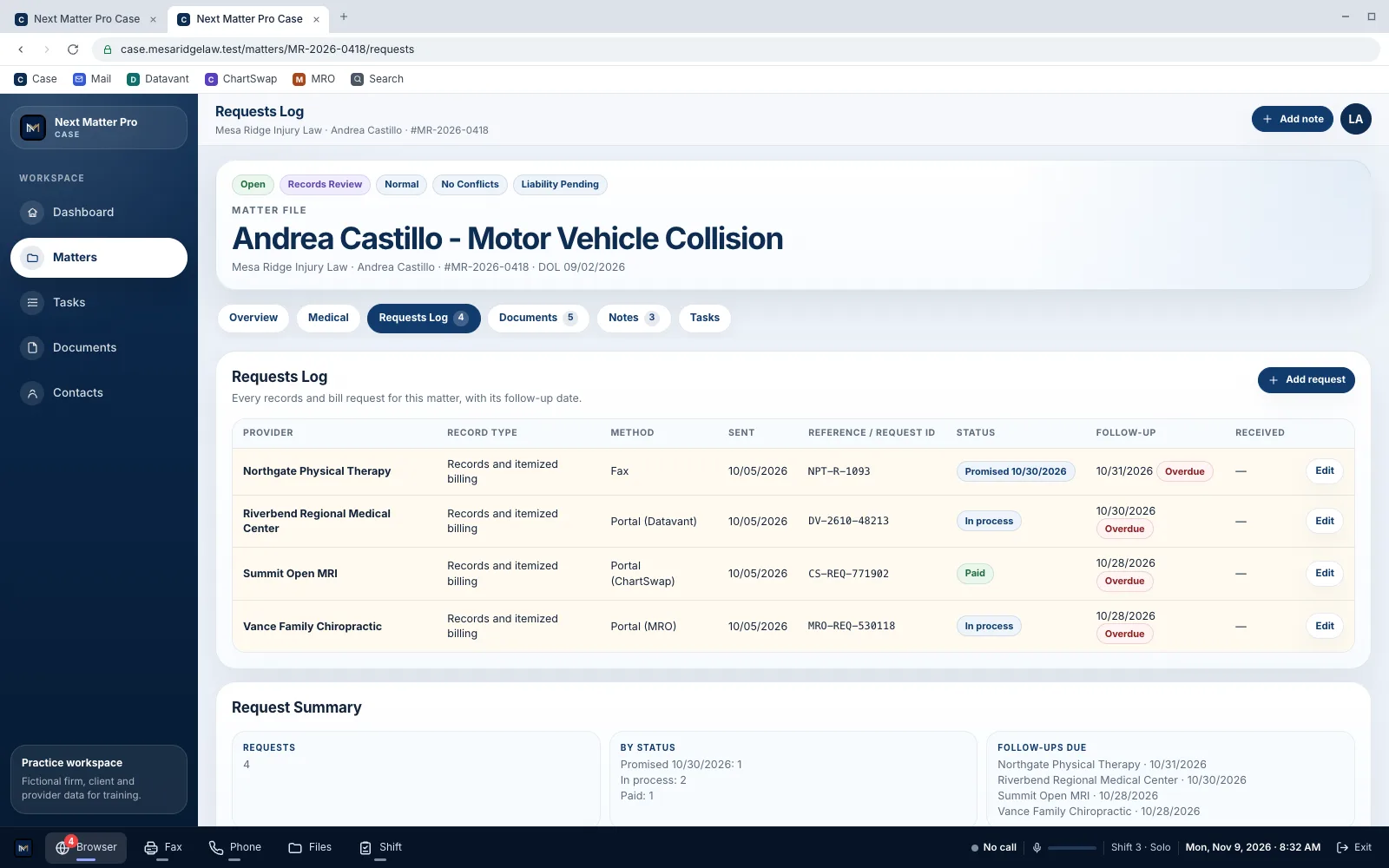
You log every request in the case file with a follow-up date, the day you will check on it next, and write a case note for each one.
Following up until the records come in
You check on each request when its follow-up date comes up. You call the provider's office for a status update, or check the request on the portal. On the call you get a reference number and a date the office promises to send by.
Some requests need more work. A portal can put a request on hold until you upload the facility's own authorization form. A copy service can send an invoice, which you check before paying. Sometimes an invoice was already paid.
You also handle an incoming call. Every call goes in the case file as a call log.
Checking the records against the bills
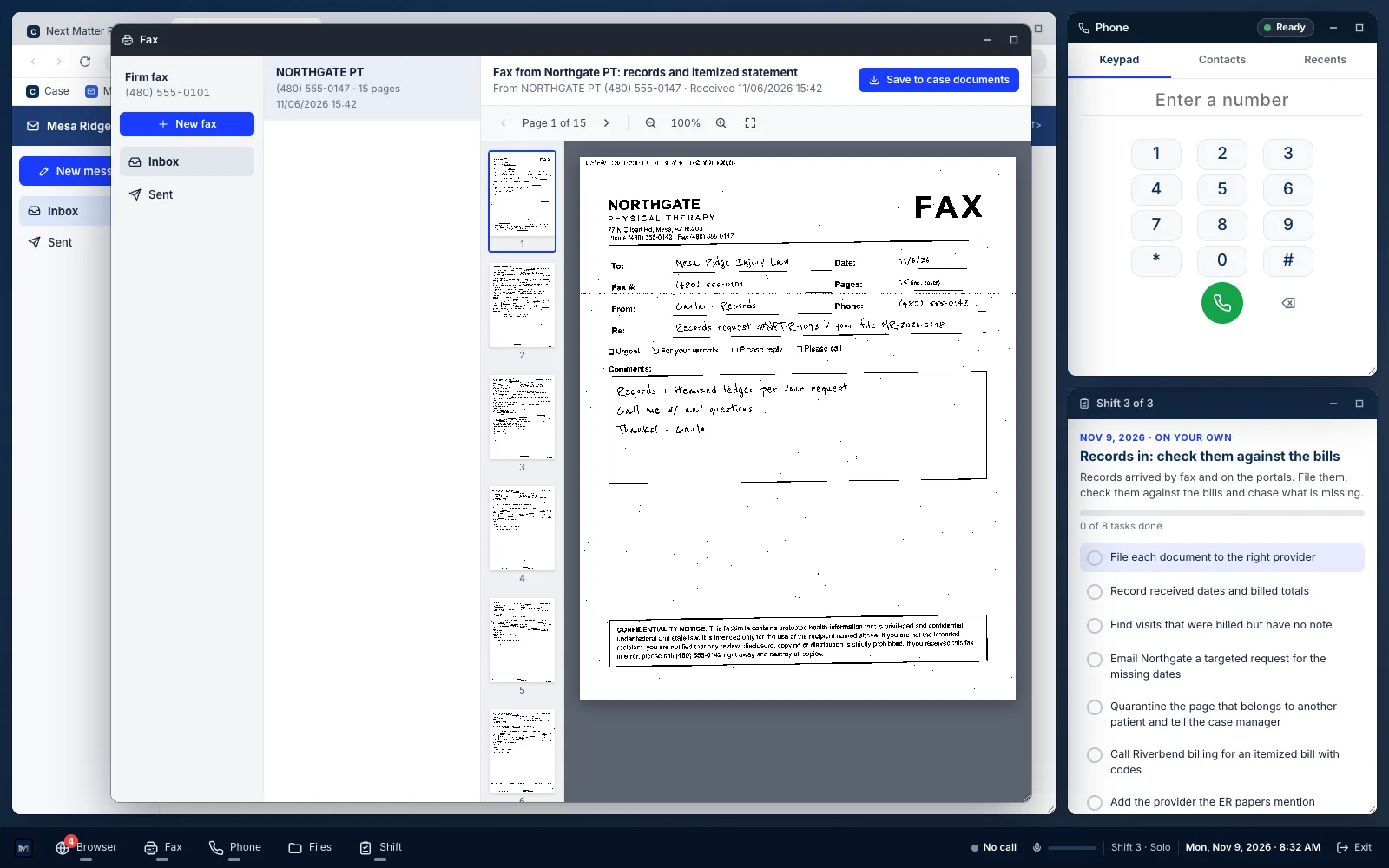
When records arrive, you file each document to the right provider and record the date it came in and the billed total. Faxed records look faxed, with small print and slightly crooked pages.
Then you compare the bills with the visit notes, the provider's note for each visit. When a visit was billed but has no note, you email the provider and ask for those dates.
A packet can include a page from another patient. You set that page apart in quarantine and tell the case manager, the person who runs the case.
How your work is scored
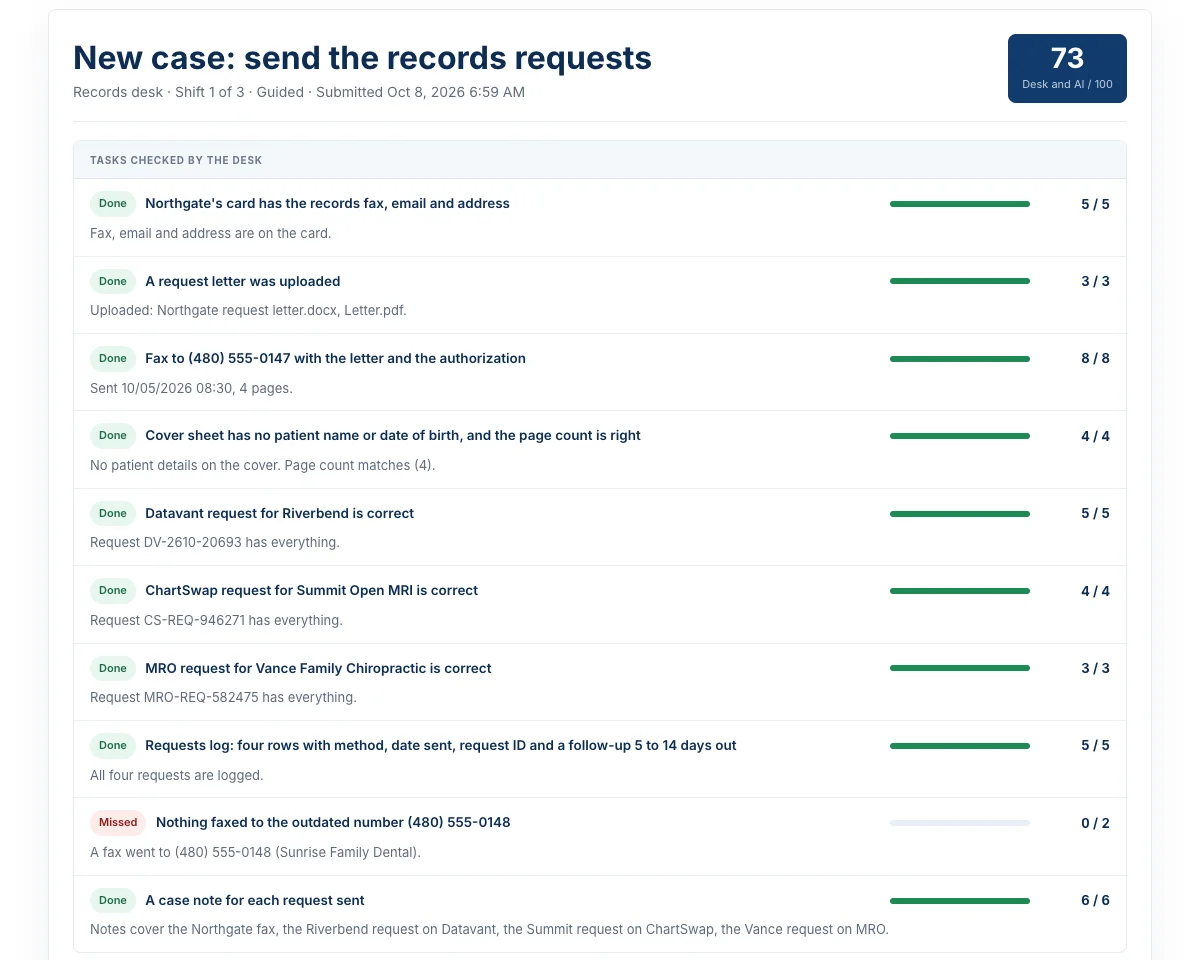
When you submit a shift, you get a score out of 100. It comes from checks the desk runs on your work. Your calls are scored too, and so is your letter or email. Some mistakes cap the score, such as faxing patient records to the wrong number.
Each practice call is recorded and transcribed. Your trainer listens to your calls and reads your work. Then they add their own score and feedback, which you see on the shift's review page.
Before you start
A computer and a headset
Use a laptop or desktop with a headset that has a microphone, plus Word or another word processor for the letter. A phone screen is too small to work on.
Where you'll find it
Your trainer assigns the desk to you or to your class, and you get an email and a push notification. It shows up on your Practice and Classes pages. You'll also find it in the Academy Android app.
Classes that include the desk
The records desk comes with these live classes:
The Academy also has an intake call practice desk.
Questions
What does a medical records specialist do at a personal injury firm?
On the desk, you request a client's medical records and itemized bills from each provider who treated them. You follow up until they come in, then check the records against the bills.
What do you send with a records request?
The signed HIPAA authorization and the request letter. On the desk, those are what copy services ask for.
What do I ask on a follow-up call?
Where the request stands. You get a reference number and a date the office promises to send by. Calls on the desk are scored mostly on how efficiently you get that.
Are the Datavant, ChartSwap and MRO portals the actual sites?
No. They are practice copies made for training. They are not affiliated with or endorsed by those companies, and they do not connect to them. Never enter your own login details or a card number.
Do I need experience first?
No. On your first shift, a coach panel shows each step and opens the right app. You do the later shifts without it.
Is the work on the desk fictional?
Yes. The firm, patients, providers, records, bills and calls are all fictional. Faxes and emails you send stay inside the desk and are never delivered to anyone.
Are the provider staff on the calls simulated?
Yes. You make practice calls with simulated provider staff. The simulated staff run on Google's Gemini service, and so do the call transcripts and the automated scores. You accept a short notice about this before your first shift.
Who can hear my recordings and see my work?
Only you and your trainers. Academy admins can also open them. Nobody else can play your recordings or see your uploads and results.
Can I redo a shift?
Yes. Your trainer can reopen a shift so you can do it again.
What do I need to use the desk?
A laptop or desktop with a headset that has a microphone, plus Word or another word processor for the request letter. The desk opens on a phone, but the screen is too small to work on.
Will this get me a job?
No. Next Matter Pro Academy provides training. It does not guarantee employment.
Next Matter Pro Academy provides training. It does not guarantee employment, and creating an account, enrolling, or using the portal does not create an employer-employee relationship. The firm, patients, records and calls on the desk are fictional.